Best Mockup Generators Compared (2026): Placeit, Smartmockups, Mockuper and MockupBro
A practical 2026 comparison of Placeit, Smartmockups/Canva Mockups, Mockuper and MockupBro for product, device, apparel and social mockups with official pricing and feature sources.
Mustafa Bilgic
Solo founder, AIPostMockup · Adıyaman, Türkiye
Quick Answer
Choose Placeit if you need a large paid library for apparel, ecommerce, logos, videos and commercial downloads. Choose Canva Mockups if your team already creates designs in Canva and wants mockups inside the same editor. Choose Mockuper or MockupBro when you need a quick free mockup with fewer templates and less setup.
Table of Contents
At-a-glance comparison
Pricing reflects each vendor's official pricing page as of the publish date below. Click each vendor name to open the source page in a new tab so you can verify before buying.
| Vendor | Starting price | Free plan / trial | Best for |
|---|---|---|---|
| Placeit Placeit pricing page lists unlimited subscription from $7.47/mo; help center says downloads include commercial license. | From $7.47/mo on official pricing page | Free templates available; paid subscription unlocks unlimited downloads | Large mockup library, apparel sellers, logos, videos and quick ecommerce visuals |
| Smartmockups / Canva Mockups Canva says Smartmockups is now Canva Mockups; launch source listed 2,000+ free and 8,000+ Pro/Teams mockup templates. | $0 with Canva Free; paid Canva plans unlock more assets | Canva Mockups has free access and templates inside Canva | Canva users who want mockups inside a broader design and publishing workflow |
| Mockuper Mockuper official about page describes a free online mockup generator with high-resolution output and no watermark. | $0 | Free online generator; no watermark according to official about page | Simple device, print and presentation mockups without signup friction |
| MockupBro MockupBro homepage says choose a mockup, upload a design and download a high-quality image without a watermark. | $0 | Free online generator; downloads without watermark | Fast free product and device mockups with minimal interface |
Short verdict
Mockup generators are different from general design tools. The job is not to design a poster, app screen or logo from scratch. The job is to show that design in a believable context: on a phone, shirt, mug, billboard, book, browser, package, card, storefront, ad placement or social feed. That context helps clients, buyers and stakeholders understand scale, realism and final use. It also helps ecommerce sellers produce listing assets faster.
Placeit is the strongest paid choice because it combines a large mockup library with design templates, logos and videos. The official Placeit pricing page at placeit.net/pricing lists an unlimited subscription from $7.47 per month, unlimited downloads and commercial usage. Placeit help pages also say downloads come with a commercial license and that the service has over 29,000 assets organized by type: mockups, designs, logos and videos. Placeit is best when mockups are a regular production task rather than an occasional one-off.
Smartmockups is now best understood as Canva Mockups. Canva's acquisition article at canva.com/newsroom/news/kaleido-smartmockups says Smartmockups became part of Canva in 2021 and had more than 6,000 mockup types at that time. Canva's later launch article at canva.com/newsroom/news/canva-launches-smartmockups-tool says Smartmockups is now Canva Mockups and that the Canva integration brought over 2,000 templates to free users and over 8,000 to Canva Pro and Teams users at launch. The current Canva Mockup Generator page at canva.com/create/mockup-generator presents it as a free AI mockup generator inside Canva.
Mockuper and MockupBro win the fast-free category. Mockuper's official about page at mockuper.net/about says it is a free online mockup generator with high-resolution output and no watermark. MockupBro's homepage at mockupbro.com says users can choose a mockup, upload a design and download a high-quality mockup image without a watermark. These tools are ideal for quick previews. They are not replacements for a large commercial library.
Free vs paid reality
The free vs paid decision depends on how often mockups affect revenue. If you make one website screenshot for a pitch, a free generator is enough. If your store publishes dozens of apparel listings every month, a paid library can pay for itself quickly because it reduces repetitive searching, resizing and export work. The cost of mockup software is small compared with the cost of weak product presentation.
Placeit's paid model is easy to understand. The official pricing page emphasizes unlimited downloads, a monthly or annual subscription and commercial usage. It is built for people who need many assets: ecommerce sellers, print-on- demand shops, streamers, small agencies, YouTubers and brands. Placeit also includes design templates, logos and video templates, so the subscription can replace several smaller tools for a lightweight business.
Canva Mockups starts free because it lives inside Canva's broader free design environment. That is excellent for users who already build posts, presentations or ads in Canva. You can place a mockup into a Canva design, add headline text, apply Brand Kit assets, collaborate with a teammate and export the complete layout. The paid reason to upgrade is not only mockup count. It is Canva's wider paid ecosystem: premium assets, brand kits, background remover, Magic Resize and team controls.
Mockuper is free by design. Its about page explicitly says it was created by someone looking for free online mockups, and asks why it should be a paid app. It mentions ads and premium add-ons to cover server costs. That positioning is useful for founders, students and developers who need a clean device or print mockup without creating another account. The tradeoff is predictable: fewer categories and less polish than a large paid library.
MockupBro is similarly direct. The homepage is basically the workflow: pick a mockup, upload a design, change background color or make simple adjustments, download the image. This is a good thing if you need speed. It is a limitation if you need ten apparel angles, seasonal scenes, lifestyle photography, logo variants, video mockups and built-in design templates.
Template count and category coverage
Template count is only useful when the count is official and relevant. Many mockup lists throw around numbers without separating total assets from mockup templates, historical counts from live counts, or free templates from paid ones. This page only uses official vendor statements. Where a vendor does not publish a reliable current count, the correct answer is “not published,” not a guessed number.
Placeit publishes several useful library signals. Its help center says Placeit has over 29,000 assets organized by type: mockups, designs, logos and videos. Its pricing page says the subscription includes 100,000+ exclusive designs, music and photo assets and describes the mockup library as very large. The important nuance is that not all of those assets are mockups. Placeit is still clearly the broadest paid library in this comparison, but a careful buyer should search the exact product category before subscribing: t-shirt, hoodie, mug, book, flyer, device, tote, packaging, poster, business card or product-only.
Canva's Smartmockups numbers are historical but official. The 2021 acquisition article says Smartmockups had more than 6,000 types of mockups. The 2022 launch article says the Canva integration brought over 2,000 templates to free users and over 8,000 to Pro and Teams users. The current Canva Mockup Generator page no longer presents a single count in the snippet; it emphasizes categories such as Technology, Print, Packaging, Apparel, and Home & living. For 2026 buying, treat Canva as a strong integrated mockup library, but verify the exact category in the editor.
Mockuper publishes categories rather than a reliable total. Its about page mentions desktop, laptop, tablet, smartphone, smartwatch, print and other mockups, including business cards, Facebook page mockups, billboards, paintings and flyers. It also shows “0+ and growing” in the page text, which looks like a broken dynamic count rather than a meaningful number. I would not cite that as a template count. Use Mockuper because it is free and fast, not because it claims a giant library.
MockupBro also presents visible categories and sample mockups rather than a large official count. The homepage lists examples such as clothing label tags, standing bottle, plastic food container, tablet screen, cassette tape, outdoor billboard, business card, t-shirt, iPhone screens, iPad Pro with keyboard and browser mockup. That is enough for lightweight production. If category depth matters, check the gallery before relying on it.
Customization and export workflow
Good mockup generators do more than paste a screenshot on top of a photo. They adjust perspective, shadows, foreground occlusion, shape, folds and color context. The more realistic the scene, the less manual editing you need. The right tool depends on whether you need realism, speed, brand layout or volume.
Placeit handles customization inside its web editor. Placeit help explains that it does not provide editable PSD files because the site includes tools to edit designs directly online. That is an important workflow decision. If you want Photoshop smart objects and fully editable PSDs, Placeit may not be the right tool. If you want a browser flow where you upload a design, adjust a product scene and download a final commercial PNG or video, it is strong.
Canva Mockups benefits from the Canva editor around it. The mockup can become part of a complete design: headline, caption, logo, background, brand colors, stock photo, social size, presentation slide or ad layout. Canva's mockup page says users can upload an image or existing Canva design, select a mockup under categories, adjust fit and alignment, then download, share or use it in another design. That makes Canva the best option when the mockup is only one layer in a larger marketing asset.
Mockuper exposes useful simple controls for a free tool. Its about page mentions choosing a preset or uploading a custom one, adjusting reflection settings and other parameters, placing a screenshot and generating a result quickly. It is especially useful for interface screenshots and device previews. It is less useful for lifestyle apparel scenes or deep product photography libraries.
MockupBro focuses on the shortest path. Choose a mockup, upload your design, choose a background color, make changes and download a high-quality image without a watermark. That is good for blog graphics, portfolio images and quick client examples. It is not a production asset manager.
Commercial use and licensing
Licensing is where mockup work becomes business-critical. A mockup might include a device shape, a stock photo, a model, a garment, a room, a billboard or a brand-like object. The safest path is to use vendor-provided commercial terms and avoid implying endorsement by a real third-party product unless the template is designed for that use.
Placeit is strongest here because it explicitly sells commercial production. Placeit help says all purchases come with a commercial license included. Its pricing page lists commercial usage as a subscription benefit. That is why Placeit is popular with print-on-demand and ecommerce sellers: the workflow and license language are built around selling and promoting products.
Canva licensing depends on the asset, plan and Canva terms. Canva Mockups itself is part of Canva, so the mockup workflow inherits Canva's content and plan rules. For everyday social and business presentations that is usually convenient, but sellers should still review Canva's content license if using stock media, premium elements or mockups in products for resale. The broader Canva workflow is powerful, but licensing review should happen before running high-spend ads or marketplace listings.
Mockuper and MockupBro are simpler but less formal. Their official pages emphasize free generation and no watermark, but they do not present the same commercial-license depth as Placeit in the source material reviewed here. For low-risk presentations, portfolio previews and internal concepts, that is usually fine. For commercial merchandise listings, regulated ads or client contracts, read the current terms and keep screenshots of the source page.
Best choices by use case
Print-on-demand apparel: choose Placeit first. It has the broadest library and a paid workflow built for commercial output. Use Canva Mockups as a second step when you need to turn the final product image into a branded social post, ad creative or presentation slide.
Canva-based marketing team: choose Canva Mockups. The biggest advantage is not only mockup templates; it is avoiding export/import loops. If the design, mockup, text, brand kit, comment thread and schedule all live in Canva, the team will ship more consistently.
Startup product screenshots: use Mockuper, MockupBro or AIPostMockup. You probably do not need a paid apparel library just to frame a web-app screen for Product Hunt, a deck or a blog post. Device/browser mockups and social preview frames are enough.
Agency client presentations: use Placeit for rich scenes and Canva/AIPostMockup for layout. Agencies need speed and range. Placeit can supply the lifestyle or object scene. Canva can turn it into a branded presentation. AIPostMockup can generate platform-specific previews that help clients approve social output.
Students and one-time projects: use Mockuper or MockupBro first. If the free output is good enough, stop there. Upgrade to Placeit or Canva only when the project needs more realism, more categories or a polished presentation system.
Decision checklist
Before paying for any mockup generator, search for the exact category you need. Do not buy a large library because it says “thousands” if your business needs one niche object. Check product angle, model diversity, background style, export resolution, file format, watermark rules, commercial license, editing depth, batch workflow and whether designs can be saved or reused.
Also test the full production path. Upload your real design, not a vendor sample. Export the mockup. Place it into the actual ad, product listing, social post or deck where it will live. Check how text looks at mobile size. Check whether the product is cropped in a marketplace thumbnail. Check whether the background conflicts with your brand palette. A mockup that looks good in the editor can fail inside the real placement.
Finally, keep the source file. A mockup used in a paid ad may need a variant next week. A client may ask for a different color, angle or platform crop. Placeit lets you revisit recent downloads and make more edits, but downloaded high-resolution assets are not editable PSDs. Canva saves the project inside its editor. Free tools may not preserve a project history. Choose based on how often you need to revise.
For ecommerce work, test thumbnail behavior before committing to a library. Marketplace grids crop aggressively, and a beautiful lifestyle mockup can lose the actual design when it is reduced to a small square. Create one product image, one lifestyle image, one close-up and one plain-background variant. Then preview those assets in the store grid, ad manager and social post where buyers will actually see them. The mockup generator that makes those four variants fastest is usually the right one.
For client approval work, realism is not always the goal. Sometimes a neutral browser mockup or clean phone frame is better than a dramatic lifestyle scene because it keeps attention on the design decision. Use Placeit when the surrounding context sells the idea. Use Mockuper, MockupBro or AIPostMockup when the surrounding context should stay quiet and let the interface, label or post do the work.
Final recommendation
Use Placeit when mockups are a recurring business asset. Use Canva Mockups when mockups are part of a larger Canva content workflow. Use Mockuper and MockupBro when you need fast, free, simple output. Do not pretend the free tools have the same category depth as Placeit, and do not overpay for Placeit if you only need one browser screenshot.
The best mockup generator is the one that makes your real deliverable easier to approve and publish. For ecommerce, that usually means Placeit. For marketing teams, that often means Canva. For founders and product builders, it often means a small focused tool like AIPostMockup, Mockuper or MockupBro. Match the tool to the frequency, risk and visual standard of the work.
Related AIPostMockup tools
AIPostMockup tools index
Use free mockup generators for social posts, ads and product previews without a heavy design app.
AI mockup tools feature matrix
Compare AIPostMockup against Canva, Figma, Placeit and Smartmockups for fast creative reviews.
Social media mockup comparison
Choose the right preview format for Instagram, Facebook, LinkedIn, X and ad placements.
Mockup formats cheatsheet
Check export formats and sizing before placing designs into product or social mockups.
Mockup generator workflow
Start from the tools directory when a stakeholder needs a fast preview rather than a full design file.
Reference reading (Amazon affiliate picks)
Books I keep on the desk while writing comparison pages. Affiliate links — buying through them helps fund free tools at no cost to you.
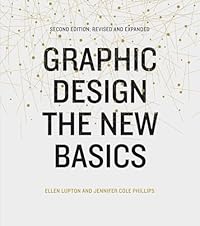
Graphic Design: The New Basics
by Ellen Lupton and Jennifer Cole Phillips
A visual design reference for making mockups look intentional rather than merely placed.
View on Amazon →
Thinking with Type
by Ellen Lupton
Useful for mockups that include product labels, posters, packaging or social captions.
View on Amazon →
Universal Principles of Design
by William Lidwell, Kritina Holden and Jill Butler
A broad reference for judging realism, hierarchy and visual persuasion in mockup scenes.
View on Amazon →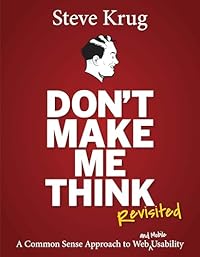
Dont Make Me Think, Revisited
by Steve Krug
Helpful for landing-page and app mockups that need to communicate quickly.
View on Amazon →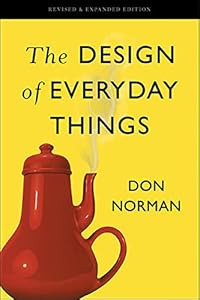
The Design of Everyday Things
by Don Norman
A strong book for product context, affordances and real-world object presentation.
View on Amazon →
Extra Bold
by Ellen Lupton and Farah Kafei
A modern lens for inclusive, client-facing and culturally aware presentation work.
View on Amazon →As an Amazon Associate, AIPostMockup earns from qualifying purchases.
Frequently asked questions
What is the best mockup generator in 2026?
How much does Placeit cost?
Is Smartmockups still a separate tool?
How many templates does Smartmockups have?
Is Mockuper really free?
Is MockupBro free and watermark-free?
Which tool has the most customization?
Which mockup generator should print-on-demand sellers use?
About the author
Mustafa Bilgic
Solo founder · Adıyaman, Türkiye · [email protected]
I run AIPostMockup as a one-person business. There is no editorial team, no investor desk, and no marketing department behind this page — just me, a laptop, and the vendors' own pricing pages. If a price or feature on this page falls out of date, please email me and I will fix it within 24 hours.