LinkedIn Post Mockup Generator
Create pixel-perfect LinkedIn mockups in seconds. Preview posts, ads, carousels, and profile layouts before publishing. AI-powered content optimization helps you maximize engagement.
Supports text posts, image posts, carousels, articles, video posts, and LinkedIn ad mockups.
See What Your LinkedIn Post Mockup Looks Like
Here is a realistic preview of a LinkedIn post mockup. Our generator recreates every detail of the LinkedIn feed experience.
Head of Content Marketing at TechCorp | B2B Growth Strategist
I analyzed 500 top-performing LinkedIn posts from 2024 and found 3 patterns every marketer should know:
1. Posts with a bold first line get 2.3x more impressions
2. Carousel documents outperform single images by 3.1x in engagement
3. Posts published Tuesday 8-10 AM get 47% more comments
The biggest surprise? Personal stories still outperform pure data posts by 1.8x.
#LinkedInMarketing #ContentStrategy #B2BMarketing
Your image goes here
1200 x 627 recommended
This is a static preview. Open the editor to create your own interactive LinkedIn mockup.
Try the LinkedIn Post Mockup Generator Free
Live Preview
Your Name
Headline · 1h ·
Type something to see the preview
LinkedIn Mockup Types You Can Create
Generate realistic mockups for every LinkedIn content format. From simple text posts to complex sponsored ad campaigns.
Text Post Mockup
Preview text-only LinkedIn posts with accurate character limits, line breaks, and "see more" truncation behavior.
Image Post Mockup
Visualize single and multi-image LinkedIn posts with proper aspect ratios, overlay counts, and alt text positioning.
Carousel / Document Mockup
Preview LinkedIn carousel posts and document shares with slide navigation, page indicators, and swipe UI.
Article Mockup
Mock up LinkedIn article shares with headline, featured image, publication name, and reading time preview.
Video Post Mockup
Preview video posts with thumbnail, play button overlay, duration badge, and LinkedIn native player styling.
Ad / Sponsored Mockup
Create LinkedIn ad mockups for Sponsored Content, Message Ads, and Lead Gen Forms with accurate "Promoted" badge styling.
How the LinkedIn Mockup Generator Works
Create professional LinkedIn mockups in under 30 seconds. No design skills required.
Enter Your Content
Paste your LinkedIn post text, upload images or documents, and set your profile details. Or let our AI generate optimized content from a simple prompt.
Preview & Optimize
See a pixel-perfect LinkedIn feed preview on desktop and mobile. Get an AI engagement score and optimization suggestions to maximize reach before publishing.
Export & Share
Download as PNG, WebP, or PDF. Share directly with your team for approval, or copy to clipboard for presentations. Your LinkedIn mockup is ready in seconds.
Why Marketers Choose AIPostMockup for LinkedIn
Everything you need to create, preview, optimize, and export professional LinkedIn mockups.
AI Content Optimization
Three AI engines (V1 Spark, V2 Pro, V3 Ultra) analyze your LinkedIn content against algorithm patterns, suggest hashtags, optimize hooks, and craft CTAs that drive engagement.
Engagement Prediction
Get a predictive engagement score from 0 to 100 before you publish. Our model analyzes post structure, timing signals, and audience fit to forecast likes, comments, and shares.
Pixel-Perfect Preview
See exactly how your post renders in the LinkedIn feed: line breaks, text truncation, profile badge positioning, and responsive layout across desktop and mobile views.
Bulk Generation
Generate up to 50 LinkedIn post mockups in a single batch using Campaign Reach mode. Perfect for content calendars, A/B testing, and multi-persona campaigns.
Custom Branding
Upload your company logo, set brand colors, and apply consistent visual identity across every LinkedIn mockup. Export with or without watermarks.
Export Options
Download LinkedIn mockups as high-resolution PNG, WebP, or PDF. Copy to clipboard for instant sharing in Slack, Notion, Figma, or client presentations.
Frequently Asked Questions About LinkedIn Mockups
Everything you need to know about our LinkedIn mockup generator, ad mockup tools, and profile mockup features.
Can you preview a LinkedIn post before publishing?
Yes. LinkedIn doesn't offer a reliable native post preview, but AIPostMockup gives you a pixel-perfect preview of exactly how your post will look in the LinkedIn feed — including the 'see more' truncation at ~210 characters, formatting, line breaks, and how your profile photo and name appear. Simply paste your content and see an instant preview, no login required.
How do I preview a LinkedIn post before posting?
Paste your post text into the editor on this page and you'll see a real-time LinkedIn feed preview. It shows the exact truncation point (where 'see more' cuts off), your post formatting, and engagement bar. You can also switch to mobile view to see how the post looks on a phone. No signup or LinkedIn account needed.
What is a LinkedIn post mockup and why do I need one?
A post mockup is a realistic preview of how your content will look in the LinkedIn feed before you publish. It shows your profile picture, name, headline, post text with accurate truncation, images or documents, and the reaction bar. This helps you catch formatting issues, test different hooks, and get stakeholder approval before going live.
How does the mockup generator work?
Paste your post content into the editor, upload any images or documents, and see a pixel-perfect preview instantly. You can toggle between desktop and mobile views and choose from text posts, image posts, carousels, articles, video posts, or ad formats. The AI engines can also generate and optimize content based on your target audience and goals.
Can I preview LinkedIn ads and sponsored content?
Yes. We support all LinkedIn ad formats including Sponsored Content (single image, carousel, and video), Message Ads, and Lead Gen Forms. Each preview includes the accurate "Promoted" badge, CTA button styling, and advertiser profile layout so you can see exactly how paid campaigns will appear.
Is the mockup tool free to use?
The basic preview tool on this page is completely free with no signup required. You can preview unlimited text posts with accurate feed rendering. For advanced features like AI optimization, engagement scoring, high-resolution export, and bulk generation, create a free account to get 5 AI credits.
Can I preview my entire LinkedIn profile?
Yes. The profile preview feature lets you see how your banner, headshot, headline, about section, and featured content appear to visitors. This is useful for personal branding, job seekers optimizing their profiles, and recruiters building employer brand pages. Profile previews are available on Pro and Enterprise plans.
What export formats are available?
You can export as high-resolution PNG (up to 4x), WebP for optimized web use, or PDF for presentations and print. Paid plan exports are watermark-free. You can also copy directly to your clipboard for pasting into Slack, Notion, Figma, Google Slides, or email. Bulk export is available in Campaign Reach mode.
LinkedIn Content Resources
Expert guides to help you create better LinkedIn content.
Start Creating LinkedIn Mockups Today
Preview and optimize your LinkedIn content before publishing. Free to start with 5 AI credits and unlimited basic previews.
No credit card required. Free plan includes 5 AI credits and unlimited basic previews.
Recommended Marketing Books
Affiliate
Building a StoryBrand
by Donald Miller
Clarify your message so customers will listen. The proven 7-part framework used by thousands of brands.

Contagious: Why Things Catch On
by Jonah Berger
Wharton professor reveals the science behind why ideas, products, and behaviors spread on social media.
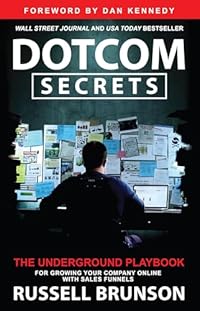
DotCom Secrets
by Russell Brunson
The underground playbook for growing your company online with sales funnels that convert.
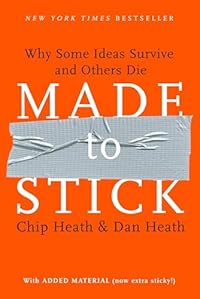
Made to Stick
by Chip Heath
Why some ideas survive and others die. Master the six principles of stickiness for your content.
As an Amazon Associate, we earn from qualifying purchases.
More LinkedIn Tools
Also available for other platforms