Facebook Post Mockup Generator
Create pixel-perfect Facebook post mockups in seconds. Preview feed posts, ads, and group updates with realistic reactions and engagement. The go-to tool for marketers, designers, and creators.
Just launched our new Facebook Post Mockup Generator! Create pixel-perfect mockups in seconds with AI-powered content optimization. Try it free today.
Your Image Preview
1200 x 630 recommended
Interactive preview — your mockup will look just like this
Create Your Facebook Post Mockup
Try it free — no signup required. Generate a realistic Facebook mockup in seconds.
Live Preview
Your Name
Just now ·
Your post will appear here...
Type something to see the preview
Facebook Mockup Types
Preview every Facebook post format before publishing. Choose the type that matches your content strategy.
Feed Post
Classic Facebook news feed post with text, images, reactions, and comment sections.
Group Post
Facebook Group post mockup with group name badge, admin tags, and member reactions.
Ad Creative
Sponsored post mockup with CTA button, headline, and ad disclosure formatting.
Video Post
Video post preview with play button overlay, view count, and autoplay thumbnail.
Page Post
Business Page post with verified badge, page followers, and branded layout.
Event Post
Event announcement mockup with date card, RSVP button, and venue details.
How to Create a Facebook Mockup
Generate a professional Facebook mockup in three simple steps.
Enter Your Content
Type your Facebook post text, upload an image, and set your profile name. Our editor mirrors the real Facebook composer.
Customize & Preview
Choose your mockup type, add reactions and comments, adjust timestamps, and see a pixel-perfect Facebook post preview in real time.
Export & Share
Download your Facebook mockup as a high-resolution PNG or share it directly with your team for approval before publishing.
Why Use AIPostMockup for Facebook?
Everything you need to create, preview, and optimize your Facebook posts before publishing.
Feed Preview
See exactly how your posts look in the Facebook news feed with realistic reactions, comment counts, and share buttons.
Group Mockups
Preview how your posts appear in Facebook Groups with group-specific formatting, admin badges, and pinned post styling.
Ad Mockups
Create realistic Facebook ad previews with sponsored labels, CTA buttons, and headline text for client presentations and A/B testing.
Reactions Preview
Add Like, Love, Haha, Wow, Sad, and Angry reactions with realistic counts. Preview exactly how engagement appears on your post.
AI Content
V1 Spark for quick drafts, V2 Pro for creative optimization, and V3 Ultra for maximum engagement. AI analyzes Facebook algorithm patterns.
Engagement Score
Get a predicted engagement score from 0 to 100 with actionable tips to improve reach, reactions, and shareability of your Facebook posts.
Frequently Asked Questions
Common questions about creating Facebook mockups with AIPostMockup.
What is a Facebook post mockup?
It is a realistic visual preview that shows how your content will appear in the Facebook news feed, including your profile picture, name, timestamp, post text, images, and the reactions bar. It is useful for getting client approval, planning content calendars, and testing different post variations before publishing.
How do I create a Facebook mockup for free?
Use the free tool above -- no signup or credit card required. Enter your post text, add an image, customize the profile name and timestamp, and see a live preview instantly. For AI-powered content generation and high-resolution exports, you can sign up for a free account with 5 AI credits.
Can I create Facebook ad mockups and sponsored post previews?
Yes. The tool supports sponsored post formats including the "Sponsored" label, call-to-action buttons (Shop Now, Learn More, Sign Up), headline text, and link preview cards. Premium plans unlock additional ad formats like carousel and video ads.
Does it support Group and Page posts?
Yes. You can preview Group posts with group name badges, admin tags, and member reactions. Page posts include business name, verified badges, follower counts, and branded formatting.
How does the AI content feature work?
The AI analyzes content patterns, optimal post lengths, hashtag usage, and engagement triggers. V1 Spark generates quick drafts, V2 Pro adds creative optimization with tone and audience targeting, and V3 Ultra delivers the highest quality output with predicted engagement scoring.
Can I export mockups as images?
Paid plans let you export as high-resolution PNG and WebP images without watermarks, which works well for client presentations, pitch decks, and team approval workflows. Free users can use the live preview tool without limits.
How do I preview my Facebook post before publishing?
Use the free tool on this page — no signup required. Enter your post text, add an optional image, and set your profile name to see a live preview that mirrors exactly how your post will appear in the Facebook news feed. You can also visit our dedicated Facebook Post Preview page for a deeper look at text truncation, mobile vs desktop layout differences, and link preview card rendering.
Does Facebook have a built-in post preview?
Facebook's composer shows a partial preview while you type, but it does not accurately reflect the final feed appearance — especially for longer posts (where "See More" truncation applies), link preview cards, or image cropping on mobile. Third-party tools like AIPostMockup give you a more accurate, dedicated preview before you publish.
Facebook Marketing Guides
Expert resources to improve your Facebook content strategy.
Hootsuite Alternatives in 2026
Compare the best social media management tools for scheduling and managing your Facebook content effectively.
Read GuideBest Social Media Scheduling Tools 2026
Find the right scheduling tool for your Facebook posting workflow. Compare features, pricing, and integrations.
Read GuideStart Creating Facebook Mockups Today
Preview your Facebook content before publishing and make every post count. Get 5 free AI credits when you sign up — no credit card required.
Recommended Marketing Books
Affiliate
Building a StoryBrand
by Donald Miller
Clarify your message so customers will listen. The proven 7-part framework used by thousands of brands.

Contagious: Why Things Catch On
by Jonah Berger
Wharton professor reveals the science behind why ideas, products, and behaviors spread on social media.
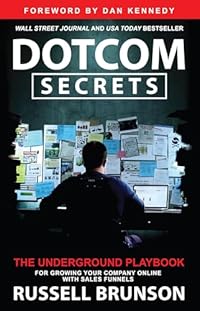
DotCom Secrets
by Russell Brunson
The underground playbook for growing your company online with sales funnels that convert.
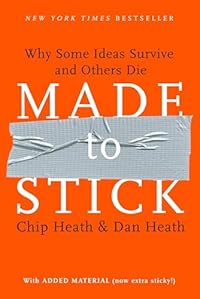
Made to Stick
by Chip Heath
Why some ideas survive and others die. Master the six principles of stickiness for your content.
As an Amazon Associate, we earn from qualifying purchases.
Also available for other platforms