Social Media Graphics Tools Compared: Pablo by Buffer vs Stencil vs Snappa vs Visme
Compare Pablo by Buffer, Stencil, Snappa and Visme for social graphics, templates, brand consistency, scheduling integrations and pricing using official vendor sources.
Mustafa Bilgic
Solo founder, AIPostMockup · Adıyaman, Türkiye
Quick Answer
Do not choose Pablo for a new workflow because Buffer officially sunsetted it in 2024. Choose Stencil for fast image creation and Buffer scheduling. Choose Snappa for simple branded team graphics. Choose Visme when social graphics are part of a broader business-content system with presentations, infographics, videos and native scheduling.
Table of Contents
At-a-glance comparison
Pricing reflects each vendor's official pricing page as of the publish date below. Click each vendor name to open the source page in a new tab so you can verify before buying.
| Vendor | Starting price | Free plan / trial | Best for |
|---|---|---|---|
| Pablo by Buffer Buffer announced Pablo, Remix and Stories Creator would be sunsetted as of November 10, 2024. | Sunsetted; no active paid plan | Legacy free tool, officially sunsetted by Buffer | Historical reference only; not recommended for new workflows |
| Stencil Stencil pricing page lists Free, Pro and Unlimited; features page documents Buffer scheduling integration. | $0; Pro $9/mo annually; Unlimited $12/mo annually | Free plan saves up to 10 images per month | Fast quote images, blog graphics, social posts and Buffer scheduling |
| Snappa Snappa pricing page lists Starter Free, Pro at $15/mo or $10/mo yearly, and Team at $30/mo or $20/mo yearly. | $0; Pro $15/mo monthly or $10/mo yearly | Starter free plan; limited downloads | Simple branded graphics, team folders, stock photos and background removal |
| Visme Visme pricing and help pages describe Basic, Starter, Pro and Enterprise plans; scheduler requires a premium plan. | Basic free; paid plans on official pricing page | Basic free plan for testing the visual content platform | Teams that need social graphics plus presentations, infographics and scheduling |
Why Pablo is legacy now
Pablo by Buffer deserves a place in this comparison because it helped define the lightweight social media graphics category. It was built for the era when many teams needed a quick way to pair a quote, headline or blog link with a shareable image. The idea was right: social graphics should not require a heavy design tool every time. But product state matters. Buffer's official post at buffer.com/resources/pablo-remix-stories-creator says Pablo, Remix and Stories Creator were being sunsetted as of November 10, 2024. Buffer explained that simplifying the product lineup would let the company focus on higher-quality maintained work.
That means Pablo should not be the tool you choose in 2026. It is useful as a benchmark for simplicity: choose an image, add text, size it for a network and publish through a scheduling workflow. But an unmaintained or sunsetted tool is risky for business work. Browser changes, image-source changes, export bugs, unsupported integrations and missing customer support can all waste time. If a tool is handling campaign assets, it needs active maintenance.
The practical comparison is therefore Stencil vs Snappa vs Visme, with Pablo acting as the historical baseline. Stencil keeps the quick-image spirit and adds a Buffer scheduling integration. Snappa adds a simple team-friendly design environment. Visme expands beyond social graphics into a business content platform with presentations, infographics, documents, videos and a social media scheduler. The best choice depends on whether your team needs speed, brand consistency, scheduling or a broader content system.
Pricing and free tiers
Pricing in this category is refreshingly transparent for Stencil and Snappa. Stencil's official pricing page at getstencil.com/pricing lists a Free plan, Pro and Unlimited. Free is $0 and saves up to 10 images per month. Pro is listed at $9 per month when paid annually and includes 5,000,000+ photos, 3,100,000+ icons and graphics, 1,350+ templates, 7,650+ Google Fonts, logo/watermark support, font uploads and premium support. Unlimited is listed at $12 per month when paid annually and adds unlimited image saves, uploads, collections and favorites.
Snappa's official pricing page at snappa.com/pricing lists Starter as Free, Pro at $15 per month on monthly billing or $10 per month when billed yearly, and Team at $30 per month on monthly billing or $20 per month when billed yearly. The Team plan adds collaboration features such as shared designs and folders, shared visual assets, team fonts, team colors and member management. Snappa is a clean upgrade path for small teams that outgrow a personal graphics account.
Visme's public pricing page at visme.co/pricing presents Visme as an all-in-one visual communication tool with Basic, Starter, Pro and Enterprise style plans. Visme support at support.visme.co/visme-plans describes Basic as the free plan for testing the platform, Starter as an individual plan for downloads, templates, assets and more storage, Pro as the expanded professional plan, and Enterprise as the team/department option with advanced features. Because Visme pricing can be served dynamically, verify live plan amounts on the official pricing page before purchase.
Pablo has no active paid comparison because Buffer sunsetted the tool. That is the most important pricing fact. A free discontinued tool can look cheaper than a paid maintained tool, but the risk moves into time and reliability. For business assets, a maintained $10 to $20 monthly tool is usually cheaper than troubleshooting an abandoned workflow before a campaign deadline.
Templates and creative assets
Template breadth matters differently in social graphics than in full design suites. You do not need every possible brochure, annual report or whitepaper layout if your weekly job is quote cards and blog headers. But you do need enough template variety to avoid a repetitive feed, and you need assets that are safe to use commercially.
Stencil is optimized for speed. The official features page at getstencil.com/features lists 5,000,000+ royalty-free photos from partners such as Unsplash, Pixabay and Pexels, 3,100,000+ icons and graphics, 1,350+ templates, 7,600+ Google Fonts, 140+ preset sizes, browser extensions, instant resizing, image filters, high-resolution downloads and social sharing. Stencil is not trying to be a full content operating system. It is trying to make one image quickly.
Snappa is similarly direct but more team-friendly. It supports common social and content-marketing formats, stock photos, graphics, custom dimensions, background removal, brand assets and team management. Its pricing page confirms custom font uploads, background removal and team collaboration on paid tiers. Snappa's best feature is clarity: the editor is simple enough that a small team can learn it quickly, and the pricing is easy to model.
Visme has the broadest template range. The social media templates page at visme.co/templates/social-media-graphics says users can create social media graphics from hundreds of professional templates for Facebook, Instagram, Twitter, LinkedIn and more, plus download as image, GIF or video. Visme also covers presentations, infographics, reports, documents, graphs, videos and forms. That breadth is overkill for a solo creator posting quotes, but valuable for a business that wants all visual content in one environment.
Pablo's original advantage was simplicity rather than template scale. In 2026, that simplicity has been absorbed by maintained products. If you miss Pablo, Stencil is the closest active successor because it is fast, image-centric and directly integrates with Buffer for scheduling.
Brand consistency
Social graphics often fail because teams treat each post as a separate design problem. A feed becomes inconsistent: slightly different blue, slightly different logo size, random fonts, no spacing system and no pattern for headlines. Brand consistency tools solve this by storing reusable assets and reducing choices.
Stencil supports brand consistency through logos, watermarks, font uploads, uploaded images, collections and favorites. That is enough for a solo creator or small business. You can store the logo, use brand fonts, reuse image collections and create graphics at preset social sizes. Stencil does not try to enforce a complex brand system. It gives one user enough structure to move quickly without forgetting the basics.
Snappa is stronger for small teams because its Team plan is explicitly collaborative. The Snappa Teams page at snappa.com/teams describes shared designs and folders, shared visual assets, uploaded team fonts, team colors and member management. This is practical brand consistency. A marketing assistant can open a shared folder, reuse a template, select approved colors and download the graphic without asking someone for the hex code.
Visme is the strongest brand-consistency platform in this set because it is built for broader business content. Visme can manage social graphics next to presentations, reports, infographics, proposals and videos. For a larger team, that matters because brand drift often happens across formats rather than within one social post. A company that creates investor slides, HR announcements, LinkedIn graphics and sales decks may prefer one visual platform over a narrow social graphic editor.
Pablo cannot be part of a current brand-consistency system because it is sunsetted. If an old team process still says “make it in Pablo,” rewrite that process. A dead tool should not be the brand gatekeeper.
Scheduling integrations
Scheduling integration is the difference between “download an image” and “publish the work.” A tool that exports a PNG still leaves you with calendar planning, caption writing, approvals, upload, posting and status tracking. For solo creators, that may be fine. For marketing teams, the gap creates missed posts.
Stencil has the clearest social scheduling story because it integrates with Buffer. The official Stencil features page says users can schedule any image they create and that Stencil is integrated with Buffer. The dedicated schedule page at getstencil.com/features/schedule says users can schedule images to multiple social networks through Buffer and share directly to Instagram via Buffer. If you already use Buffer, this is the most natural active Pablo replacement.
Visme has the strongest built-in scheduler. The official Visme Social Media Scheduler page at visme.co/social-media-scheduler says users can design posts and schedule them in one tool, connect to Facebook, Instagram, LinkedIn, Twitter, Pinterest and Slack, view scheduled posts in a calendar and filter by platform. The FAQ on that page says the Content Calendar requires a premium plan such as Business or Non-profit. This is valuable when social content is part of a larger visual-content operation.
Snappa focuses more on creation and team assets than native scheduling. Depending on your stack, you can export Snappa designs into Buffer, Hootsuite, Later, Sprout or a native platform scheduler. That extra step is not a problem if Snappa is better for your team's graphics. It is a problem if you need an integrated create-and-schedule workflow.
Pablo's Buffer relationship is historical, but Buffer's current direction is not to maintain Pablo. Teams that liked Pablo because it was close to Buffer should evaluate Stencil first, then Visme if they need a native content calendar outside Buffer.
Best use cases
Solo blogger or creator: choose Stencil if your weekly work is quote cards, blog images, Pinterest pins and fast social posts. The free tier is enough for occasional use, and the Pro plan is inexpensive when paid annually. Browser extensions and preset sizes help when you create visuals from articles or curated links.
Small marketing team: choose Snappa if you need a simple editor with team colors, fonts, folders and shared assets. Snappa is not trying to be an enterprise platform, and that is the point. It is approachable for teams that need repeatable branded graphics without a design department.
Business content team: choose Visme if the same team creates social posts, presentations, reports, infographics, videos, documents and scheduled content. Visme is heavier than Stencil or Snappa, but the breadth is useful if the organization wants one home for visual communication.
Buffer-first workflow: choose Stencil. The Buffer integration makes it the closest active successor to Pablo's original spirit: create a fast image and schedule it through Buffer. For teams already paying for Buffer, this reduces workflow changes.
Legacy Pablo users: migrate. Export any old creative references, rewrite internal docs and choose an active tool. The replacement should depend on the job: Stencil for speed and Buffer, Snappa for team graphics, Visme for broader content and scheduling.
Decision framework
Start with the publishing workflow, not the editor screenshot. Ask how many graphics you create per month, who creates them, who approves them, where they are scheduled, and how often old designs are reused. If one person creates fewer than ten images per month, Stencil Free or Snappa Starter may be enough. If a small team needs shared folders and brand assets, Snappa Team is a clean upgrade. If the company needs a content calendar and multiple content formats, Visme is a better fit.
Then test template fit. Build five real posts: a quote card, a product announcement, a LinkedIn carousel cover, a blog-header image and a sale graphic. Use real brand colors and real copy. Time the work. Count the number of manual fixes. Export the images and preview them inside AIPostMockup or the native social network crop. The right tool is the one that makes the real production path smoother, not the one with the best homepage.
Finally, check ownership of the workflow. A social graphics system should not depend on one employee's personal account. Use team accounts where appropriate, document brand assets, store templates centrally and keep scheduling access separate from design access if needed. A cheap tool becomes expensive when someone leaves and all the templates are locked in a personal login.
Add a review rule before the tool goes live. For small teams, a simple two-step process is enough: the creator exports or schedules a draft, and one other person checks copy, crop, logo placement, link destination and date. For larger teams, the review should happen inside the tool if possible. Visme's calendar and collaboration model can help here. Snappa's shared folders can keep approved designs visible. Stencil users who schedule through Buffer should make Buffer the final review surface so the image and caption are checked together.
Also separate evergreen templates from campaign templates. Evergreen templates are the layouts you reuse every week: quotes, tips, blog links, webinar reminders and product updates. Campaign templates are tied to a launch, promotion or seasonal push. Keeping those folders separate prevents old discounts, expired dates and retired brand language from coming back by accident. This is a common failure mode in social graphics systems because old templates feel convenient until someone republishes the wrong offer.
Finally, preview graphics at the sizes where people consume them. A LinkedIn image that looks polished at desktop editor size may be unreadable in a mobile feed. A square Instagram post may lose the headline when reused as a story. A YouTube thumbnail may need thicker type than a blog header. Stencil, Snappa and Visme all make resizing possible, but resizing is not the same as redesigning for the platform. Build a short checklist for each channel and make it part of the export workflow.
Final recommendation
Pablo by Buffer is no longer a viable new choice. Stencil is the best lightweight replacement, especially for Buffer users. Snappa is the best simple team graphics tool. Visme is the best broader business-content platform with a social media scheduler. If you already use Canva or Adobe Express, those may also be broader alternatives, but within this specific set the recommendation is: Stencil for speed, Snappa for small-team brand control, Visme for content systems.
Social graphics do not need to be complicated, but they do need to be consistent and published on time. Pick the tool that reduces the number of steps between idea, approved graphic, scheduled post and performance review. That is where the real value is.
Related AIPostMockup tools
AIPostMockup tools index
Create social media mockups after exporting graphics from Stencil, Snappa, Visme or Canva.
Social media mockup comparison
Preview social graphics across Instagram, LinkedIn, Facebook and X before posting.
Mockup formats cheatsheet
Check dimensions and export formats for social images, ads and platform previews.
AI mockup tools feature matrix
Compare fast AI mockup workflows for social graphics and ad creative review.
Social graphics preview workflow
Use the tools directory to turn finished social designs into stakeholder-ready mockups.
Reference reading (Amazon affiliate picks)
Books I keep on the desk while writing comparison pages. Affiliate links — buying through them helps fund free tools at no cost to you.
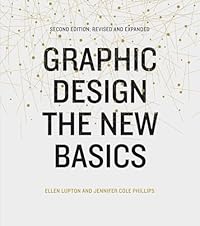
Graphic Design: The New Basics
by Ellen Lupton and Jennifer Cole Phillips
A useful reference for making social templates feel intentional and structured.
View on Amazon →
Thinking with Type
by Ellen Lupton
Helpful for quote cards, carousels, thumbnails and social graphics where type carries the message.
View on Amazon →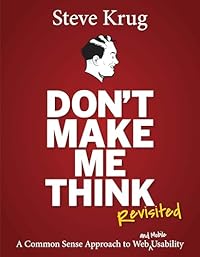
Dont Make Me Think, Revisited
by Steve Krug
A practical reminder that social graphics should communicate in seconds.
View on Amazon →
Universal Principles of Design
by William Lidwell, Kritina Holden and Jill Butler
A broad design reference for visual hierarchy, attention and persuasion.
View on Amazon →
The Design of Everyday Things
by Don Norman
Useful when social visuals introduce products, services or physical objects.
View on Amazon →
Extra Bold
by Ellen Lupton and Farah Kafei
A modern reference for inclusive brand visuals and social design critique.
View on Amazon →As an Amazon Associate, AIPostMockup earns from qualifying purchases.
Frequently asked questions
Is Pablo by Buffer still available?
Which social media graphics tool is best overall?
How much does Stencil cost?
How much does Snappa cost?
Does Visme schedule social media posts?
Which tool has the best templates?
Which tool is best for brand consistency?
Can these tools replace Canva?
About the author
Mustafa Bilgic
Solo founder · Adıyaman, Türkiye · [email protected]
I run AIPostMockup as a one-person business. There is no editorial team, no investor desk, and no marketing department behind this page — just me, a laptop, and the vendors' own pricing pages. If a price or feature on this page falls out of date, please email me and I will fix it within 24 hours.